

SMSEagle API
SMSEagle offers a powerful built-in REST API functionalities. API is dedicated for integration of SMSEagle with any external system or application.
API Reference (Documentation)
SMSEagle device offers two API versions APIv2 and APIv1.
API v2 – recommended for new projects
Modern RESTful API based on OpenAPI 3.0 specification
Link to APIv2 ReferenceAPI v1 – for existing projects and backward compatibility
Simple HTTP and JSONRPC API
Link to APIv1 Reference
Due extensive content of API documentation it has been moved to a separate document. Follow the links above to find each specification of each API.
API Access
Before you can use SMSEagle API you must enable API access in web-GUI (menu Users). Below you can find the description how to enable API on your device.

Screenshot from menu “Users” with marked “Access to API” link
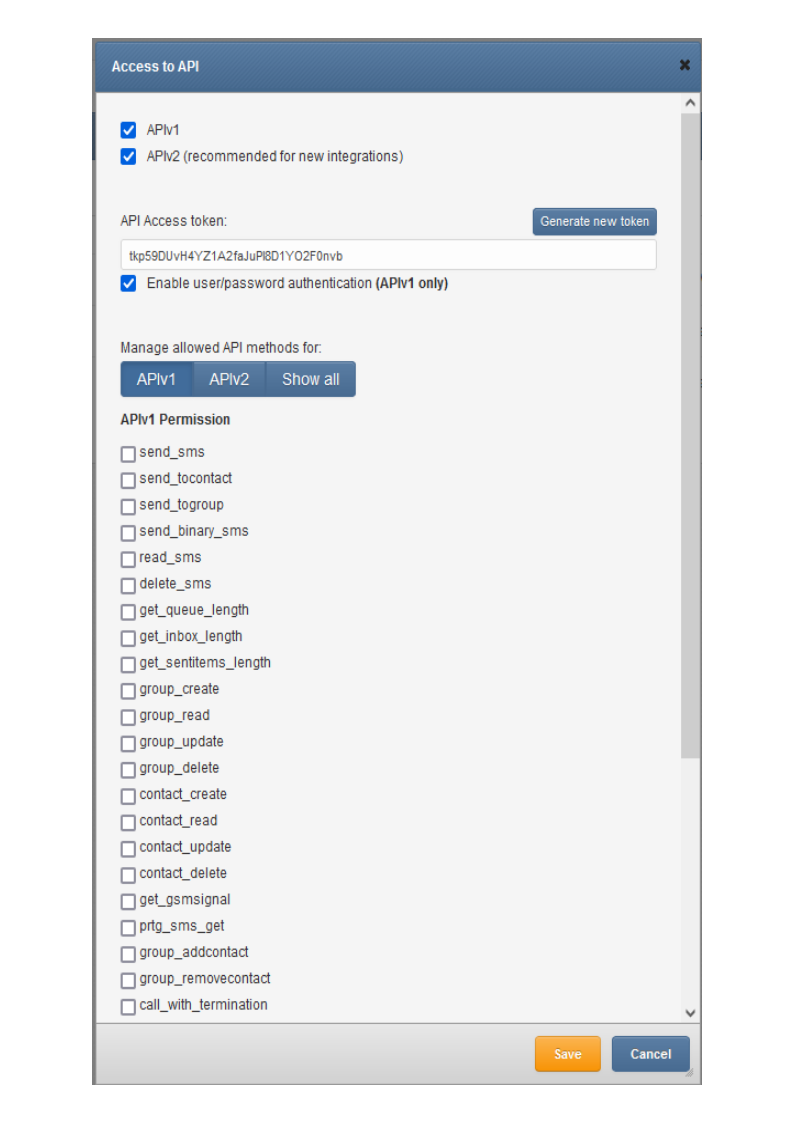
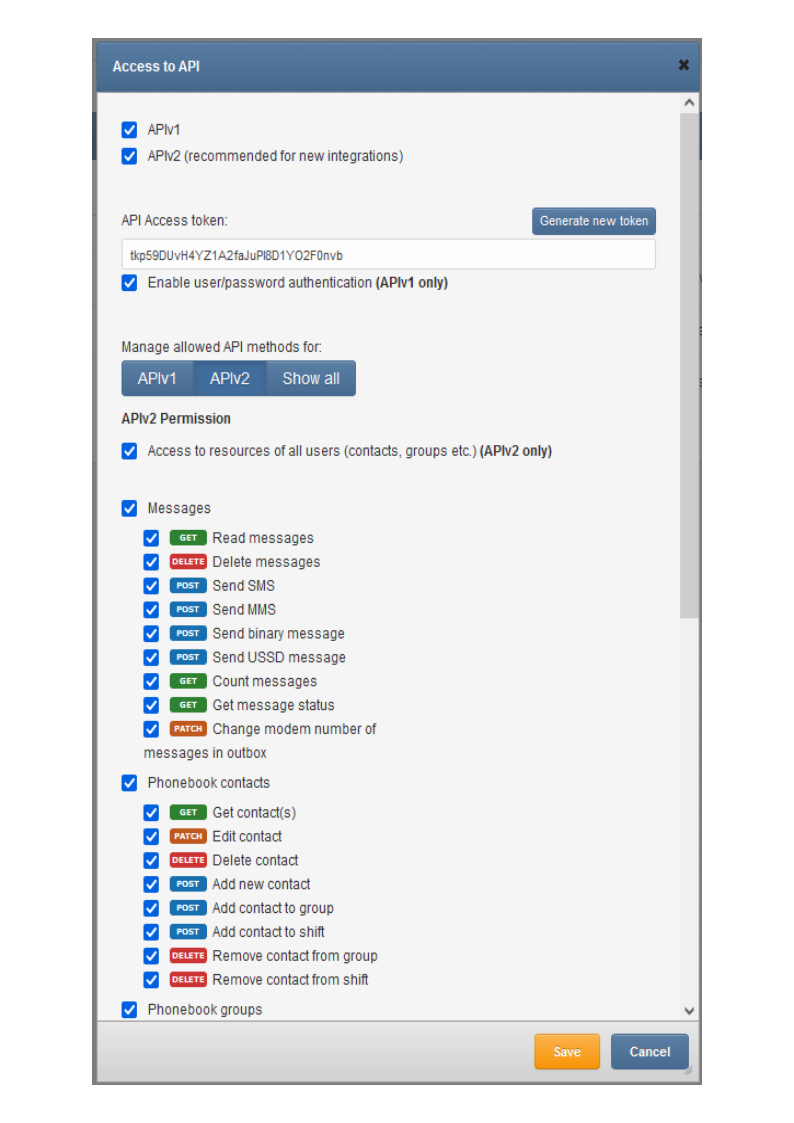
Access can be granted to:
APIv1
APIv2
API Access token can generated or entered
For APIv1 user/password authentication can be granted (use this only for backward compatibility)
For APIv2 access for resources of other users (created by others) can be granted
Particular permissions can be granted for methods in APIv1 & APIv2
Access to resources of other users in API
In APIv1 an API user (single API key) by default has access to resources of all other users (phonebook contacts, groups, etc.). APIv2 is more granular when it comes to resource access: an API user (single API key) by default has access to resources created by himself. If you want to allow access to resources of all other users, you must check the checkbox “Access to resources of all users” in Access to API window.